Skip to content

Public launch coming soon

EdgeciplineEvery trade tells a story. Most traders never read it.

Edgecipline is an AI discipline coach for retail traders. It builds your trading journal from broker screenshots, then shows you — with your own data — what makes you money, what costs you money, and what to do next.

The trading journal that fills itself from your broker screenshots.

  • Forex
  • Indian stocks & F&O
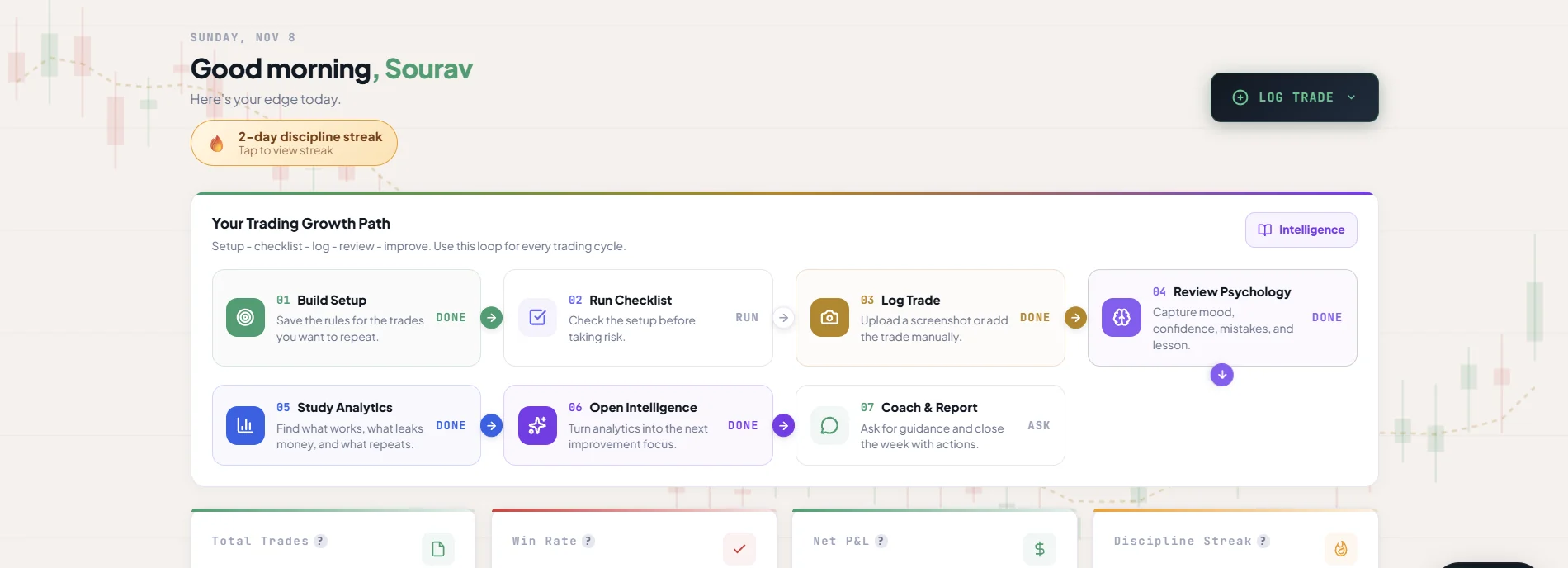
Edgecipline web dashboard: a discipline streak, the Trading Growth Path from Build Setup to Coach & Report, and KPI cards for total trades, win rate, net P&L and discipline streak.
Real Edgecipline app screens — figures belong to a test account, not to any customer.

Trade recordExecution → context → outcome

Instrument
From screenshot
Session
When you traded
Setup
Your saved setup
Entry basis
Plan / emotion
Mood
Rated 1–5
Rules followed
Setup score %

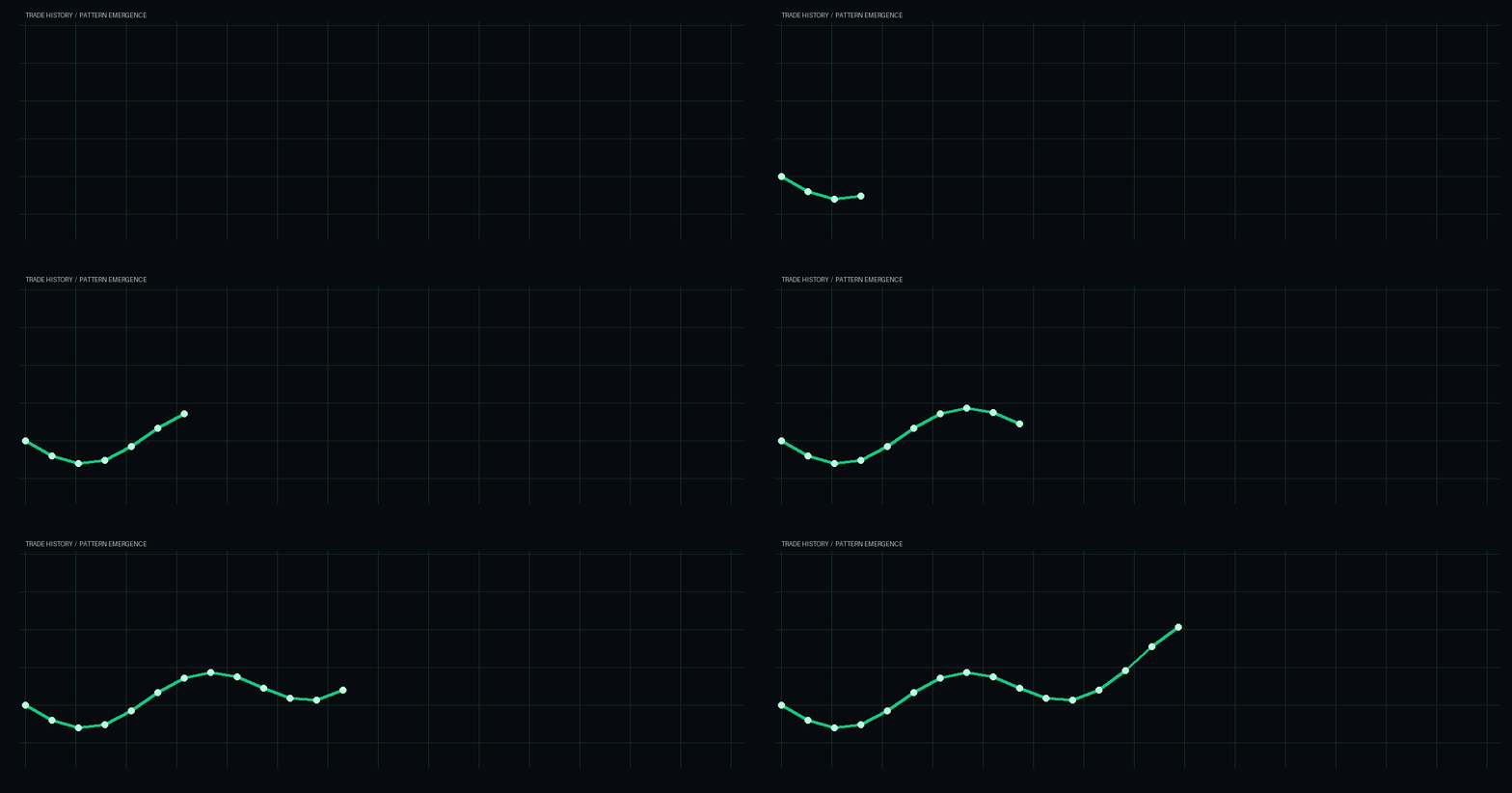
Behaviour traceA journal becomes a pattern

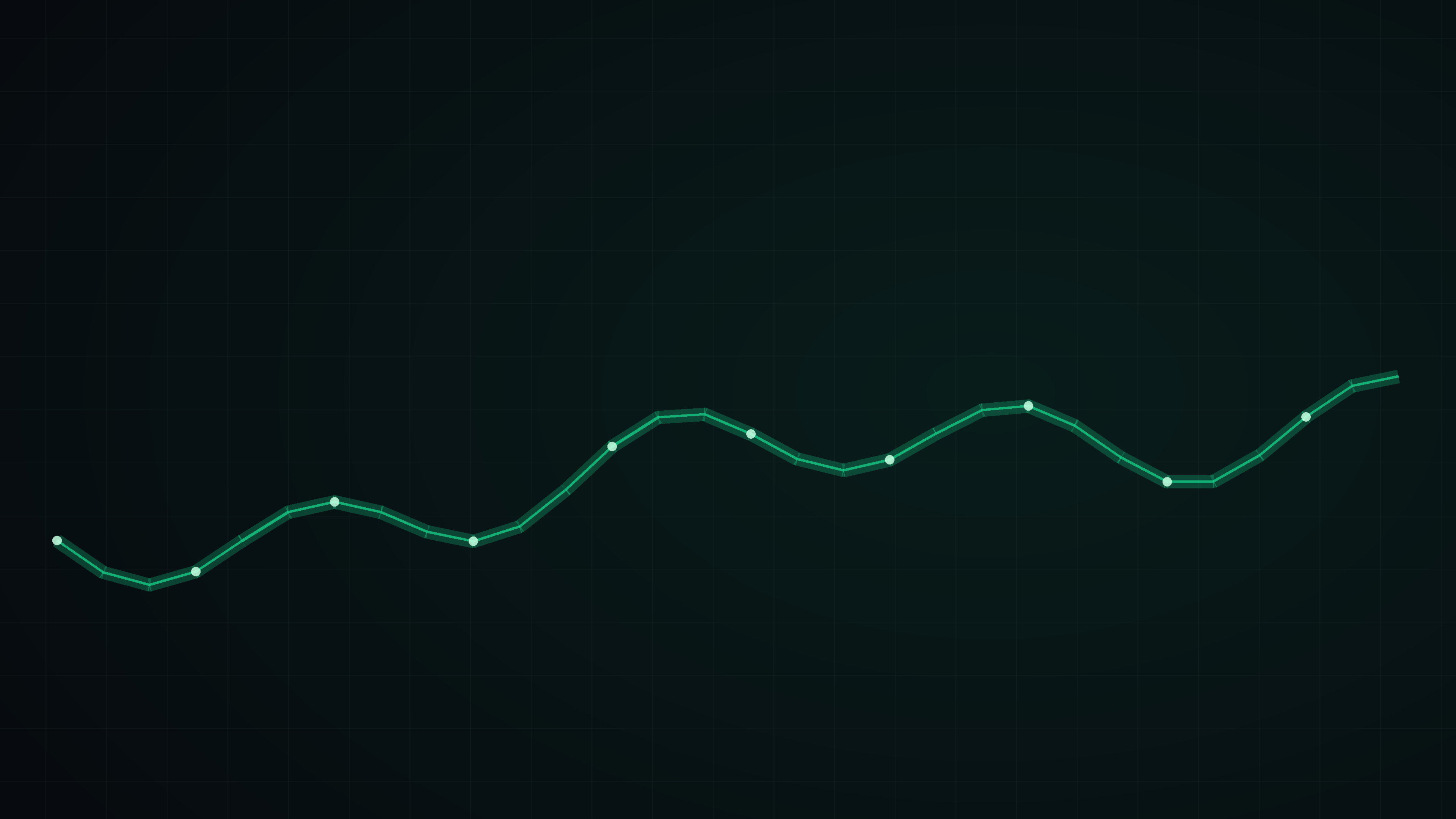
Behaviour traceAn abstract line connecting a series of trade records, showing how repeated records reveal a behavioural pattern. Decorative; not performance data.

Not a signal. Evidence from your own journal.

§02The reality of retail trading

Most traders know they should journal. Few manage to keep doing it.

Field notes, not judgement. A broken streak or a losing day is information — and information is what a journal is for.

  1. Obs. 01

    The same mistakes, again

    A rule gets broken, the lesson feels obvious — and a few weeks later the same trade happens again. Without a record, a pattern never looks like a pattern.

  2. Obs. 02

    Decisions made in the moment

    Entries after a loss, sizing up after a win, closing early from fear. Emotional decisions rarely feel emotional while you are making them.

  3. Obs. 03

    A journal that stops

    Manual journaling is slow and repetitive, and uncomfortable after a losing day. So entries get skipped, and the records that remain are incomplete.

  4. Obs. 04

    Lessons that fade

    Big wins and big losses are remembered. The ordinary trades — where most habits actually live — are forgotten.

§03The missing piece

Records rarely connect execution, psychology, setup rules and P&L. So the pattern stays invisible.

ExecutionFrom your screenshot

Instrument
Pair or symbol
Direction
Buy / sell
Size
Lots / quantity
Entry · exit
Prices
SL · TP
Risk : reward

PsychologyYour decision

Entry basis
Plan · emotion · impulsive
Mood · confidence
Each 1–5
Emotion tags
Your tags
Mistake · lesson
Your notes

Setup rulesYour checklist

  • Pick a saved setup
  • Tick the rules you followed
  • Up to 20 rules per setup

Setup scorerules followed ÷ rules

P&LThe outcome

P&L
Result
Costs
Commission · swap
Indian mode
Brokerage · STT · taxes
Session
When you traded

One journal entry

  • Executionconnected
  • Psychologyconnected
  • Setup rulesconnected
  • P&Lconnected

Pattern-ready record

The four parts of every trade recordExecution, psychology, setup rules and P&L connected in a single journal entry.

§04Introducing Edgecipline

An AI Discipline Coach — not a signals or prediction app.

Edgecipline is

  • A journal built from your broker screenshots
  • Insights calculated from your own recorded trades
  • Coaching that ends in one concrete action
  • Locked states that say when there is not enough data yet

Edgecipline is not

  • Buy or sell signals
  • Market predictions or price targets
  • Copy trading
  • Financial advice
  1. 01Screenshot

    Upload a broker screenshot, or enter the trade manually.

  2. 02Structured journal

    Trade fields, psychology fields and setup rules in one record.

  3. 03Your own data

    Analytics, psychology and patterns from the trades you recorded.

  4. 04Next action

    Every insight ends in one specific thing to do next.

§05Screenshot-to-journal

Just screenshot your broker. Review it. Save a structured trade.

  1. 01

    Upload a broker screenshot

    Choose a screenshot of your trade history and preview it to confirm it is a trade screenshot. In Indian Market mode, pick your broker so extraction reads the right layout.

  2. 02

    OCR and AI extraction

    OCR and AI read the image and extract the trade. One screenshot that contains several trades becomes several entries. Progress is shown as uploading, queued, processing, then completed or failed.

  3. 03

    Review before you save

    Every extracted field is shown with a confidence score. Correct anything that is wrong — you stay in control of the record.

  4. 04

    Save a structured trade

    Add psychology details and tick the setup rules you followed. The trade joins your journal and your analytics update.

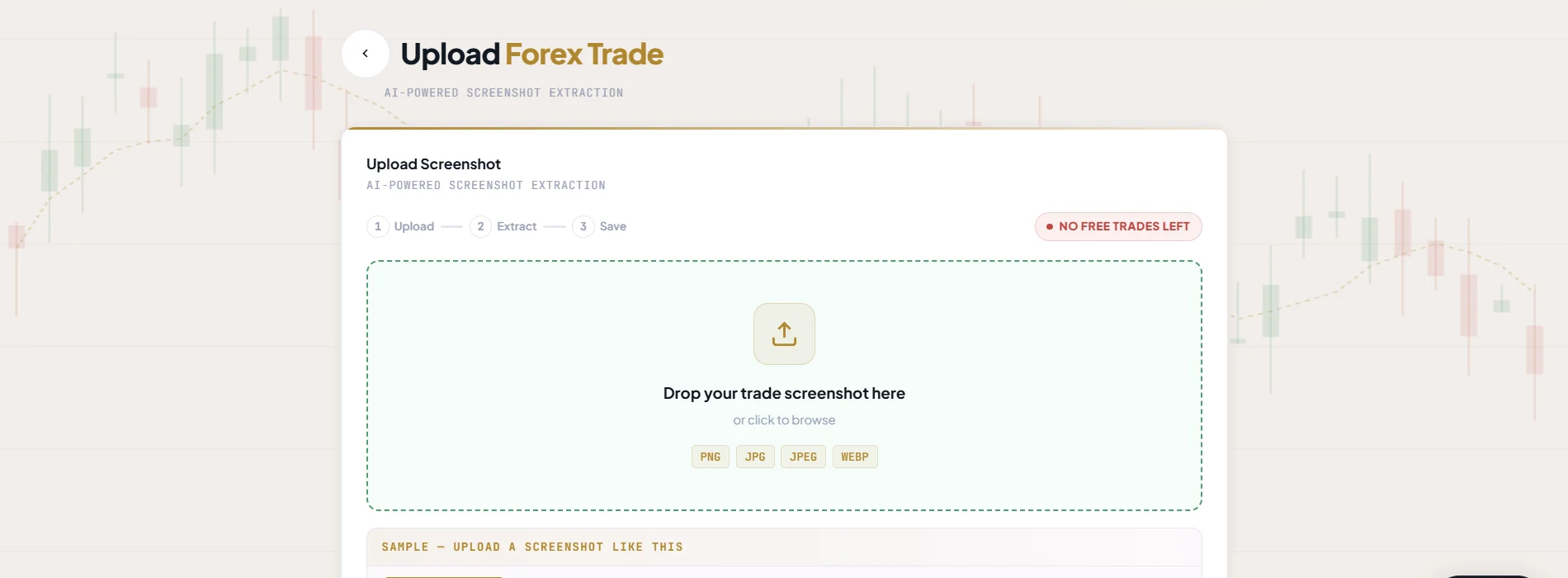
Edgecipline Upload Forex Trade screen: a three-step Upload, Extract, Save indicator and a drop zone for PNG, JPG, JPEG or WEBP trade screenshots.
Real Edgecipline app screen — figures belong to a test account, not to any customer.
Real app screenshot pendingReview before save — extracted fields with confidence
  • Images that are not trade screenshots are rejected without saving anything or using your free-trade quota. A failed extraction never uses quota either.
  • No screenshot? Manual entry records the same trade fields.
  • Forex and Indian market journals are kept fully separate.

§06Six product pillars

From one trade record to a discipline routine. Six pillars, one journal.

Capture every trade

Reduce journaling friction and create structured records.

What it does
Turns broker screenshots — or a quick manual entry — into complete trade records with psychology attached.
How it works
OCR and AI extract the fields, you review and correct them, then save. Search, filter, edit, delete and restore keep the journal accurate.
Why it helps
A complete, consistent record is what every later insight depends on.
Capture features
01Screenshot-to-trade extractionUpload a broker screenshot; OCR and AI extract the trade.
02Multi-trade extractionOne screenshot with several trades becomes several entries.
03Review before saveCheck extracted fields and confidence, then correct details.
04Manual trade entryRecord a trade without a screenshot.
05Complete trade fieldsInstrument, direction, size, entry, exit, SL, TP, P&L, costs, date, session, strategy, notes, risk:reward.
06Psychology fieldsEntry basis, mood, confidence, emotion tags, mistake, lesson, would-retake, self-rated quality.
07Journal managementSearch, filter, view, edit, delete and restore records.

Build your trading process

Turn a trading idea into a repeatable set of rules.

What it does
Defines what qualifies as your setup, then measures how closely each trade followed it.
How it works
Build setups from Breakout, Pullback or Reversal starter templates, attach chart examples, and tick rules before entering. Each trade gets a setup score.
Why it helps
Execution quality becomes something you can measure rather than remember.

Pre-trade checklistSpecimen

  • Setup BuilderSetups for each market, with Breakout, Pullback and Reversal starter templates.
  • Setup reference imagesAttach example charts so the setup is easier to recognise.
  • Setup scoringThe percentage of a setup's rules followed on a trade.
  • Pre-trade checklistReview rules before entering and receive a confidence grade (A+, Moderate, Low).
  • Psychology checklistImpulse, Fear, Revenge, Overconfidence, Overtrading and Loss Aversion.
  • Checklist history and remindersCompleted checklists are stored; reminders at a chosen time.

Understand your performance

Use recorded trades to see where results come from.

What it does
Breaks your results down by instrument, strategy, session, time and risk.
How it works
A dashboard and analytics sections are calculated from your saved trades and refresh when trades change.
Why it helps
You can compare choices against your own history instead of a feeling.
  1. 01Dashboard

    Total trades, win rate, net P&L, journal streak, equity curve and quick actions.

  2. 02Performance overview

    Wins, losses, profit, average trade and weekly P&L.

  3. 03Instrument and strategy analysis

    Best and worst pairs or instruments, and a strategy comparison.

  4. 04Session and time analysis

    Performance by trading session and time of day.

  5. 05Risk:reward, calendar P&L and drawdown

    Risk distribution and equity changes over time.

  6. 06Mistake and pattern analytics

    Repeated mistakes and patterns across streak, session, day, mood and setup score.

  7. 07Indian market cost breakdown

    Brokerage, STT and tax shown alongside results.

Understand your psychology

Connect behaviour and mindset with recorded outcomes.

What it does
Relates mood, confidence, emotions and broken rules to the results you recorded.
How it works
Psychology fields saved on each trade feed psychology analytics, a timeline, Psychology Cost and revenge and tilt detection.
Why it helps
The cost of a behaviour becomes visible in your own records.
Psychology Cost tracks
FOMOP&L lost on trades you tagged
RevengeP&L lost on trades you tagged
FearP&L lost on trades you tagged
GreedP&L lost on trades you tagged
Broken rulesP&L lost on trades you tagged

0–100 cost score and your top three leaks · unlocks at about 10 tagged trades

  • Psychology analytics — How mood, confidence and emotions relate to results.
  • Psychology timeline — Day-by-day and week-by-week mindset view.
  • Psychology Cost — Costs associated with FOMO, revenge, fear, greed and broken rules.
  • Revenge and tilt detection — Flags revenge-trading and tilt patterns.
  • Self-awareness score — Compares self-rated with system-rated trade quality.
  • Discipline score and trend — Discipline trend and strongest habit.

Get personalised coaching

Turn the journal into answers and improvement priorities.

What it does
Organises your journal into answers, ranked insights, a Trading DNA report and a coach you can question.
How it works
Insights come from your recorded trades, reviews and reflections. Where there is not enough data yet, a module says how much more it needs instead of guessing.
Why it helps
The journal becomes easier to interpret — and every answer ends in an action.
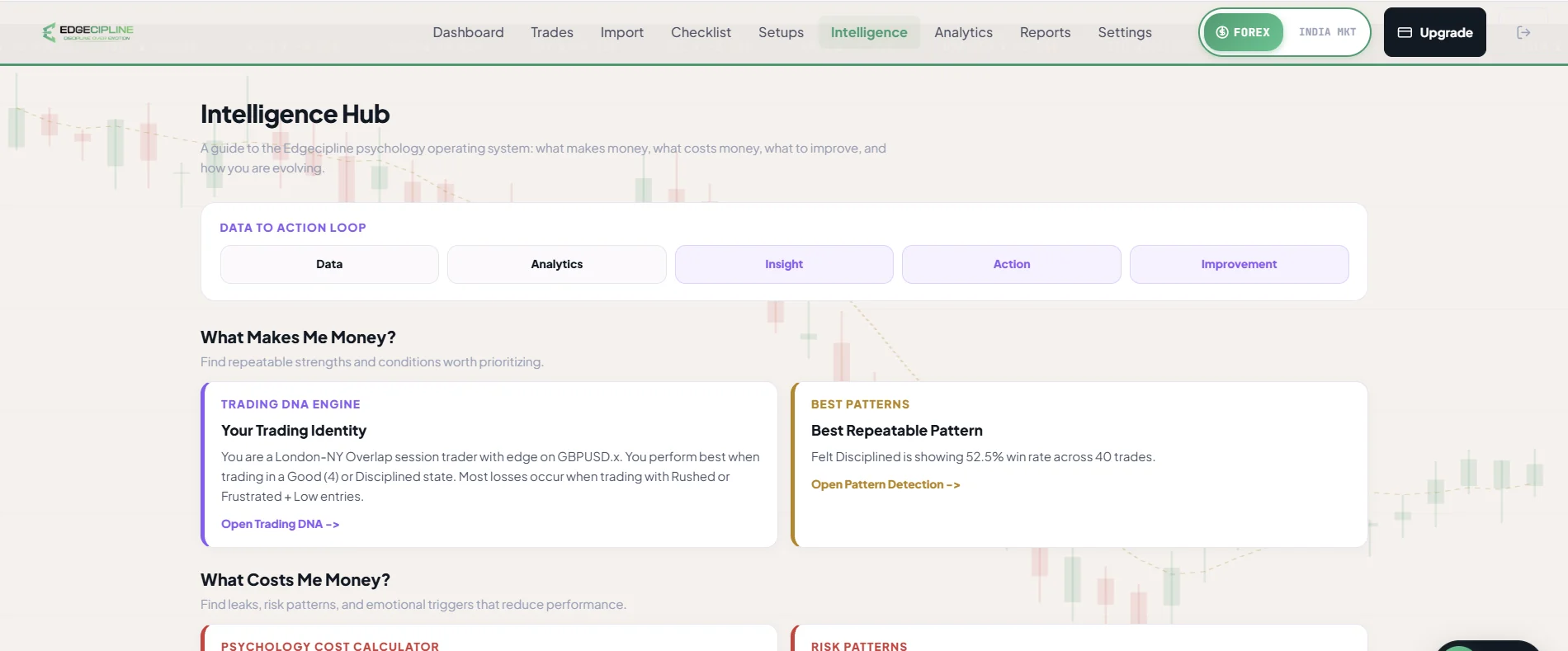
Edgecipline Intelligence Hub: a Data, Analytics, Insight, Action, Improvement loop, then What Makes Me Money and What Costs Me Money sections with Trading DNA, best pattern, psychology cost and risk pattern cards.
Real Edgecipline app screen — figures belong to a test account, not to any customer.

Intelligence Hub — five questions

  1. What makes me money?
  2. What costs me money?
  3. What should I improve?
  4. How am I evolving?
  5. What should I do now?
  • AI Coach insights feed — Ranked insights from rule-based insight generators.
  • Trading DNA report — AI report for 30, 90 or 365 days, with a quarterly comparison.
  • Share Trading DNA — A shareable Trading DNA card.
  • AI Coach Chat — Ask questions grounded in your recent trades, streaks, reflections, reports, analytics, psychology and DNA.

Build lasting discipline

Make review and consistency part of the trading routine.

What it does
Turns improvement into small daily and weekly routines you can track.
How it works
Streaks, a morning focus, an evening check-in and a weekly report keep useful habits visible.
Why it helps
Consistency in process is easier to build when it is measured every day.
  1. 07:00Morning MentorSets the focus for the day.
  2. Pre-tradeChecklistTick your setup rules; get a confidence grade.
  3. Each tradeJournal + rule streakLog it, or record “No Trade Today”.
  4. EveningReflectionA short check-in on plan, mood and one improvement.
  5. WeeklyWeekly reportPerformance, psychology and a next-week checklist.
  • Journal streak — Log a trade or record “No Trade Today”.
  • Checklist streak — Use the checklist on trading days.
  • Rule streak — Consecutive trades at or above your setup-score threshold.
  • Evening reflection — A short check-in on plan adherence, mood, confidence and one improvement.
  • Weekly report — Performance breakdown, psychology read and a next-week checklist.
  • Morning Mentor — A morning message that sets a focus for the day.
  • Notifications and reminders — Session, reflection, streak, weekly and mentor reminders.

§07Trading psychology assessment

Six honest questions. Two minutes of reflection.

Look at how you respond to losses, wins, rules and review — then see which Edgecipline capabilities relate to the themes in your answers. No sign-up needed.

Self-reflection · 6 questions

Question 1 of 6: After a losing trade, what usually happens next?

Self-reflection exercise — not a validated psychological diagnosis and not an analysis of your actual trading history. Your answers stay in this browser tab and are not saved.

§08Interactive product tour

Walk through the app. Journal to Trading DNA.

Real screens from the Edgecipline app, in its own light appearance.

app/trades
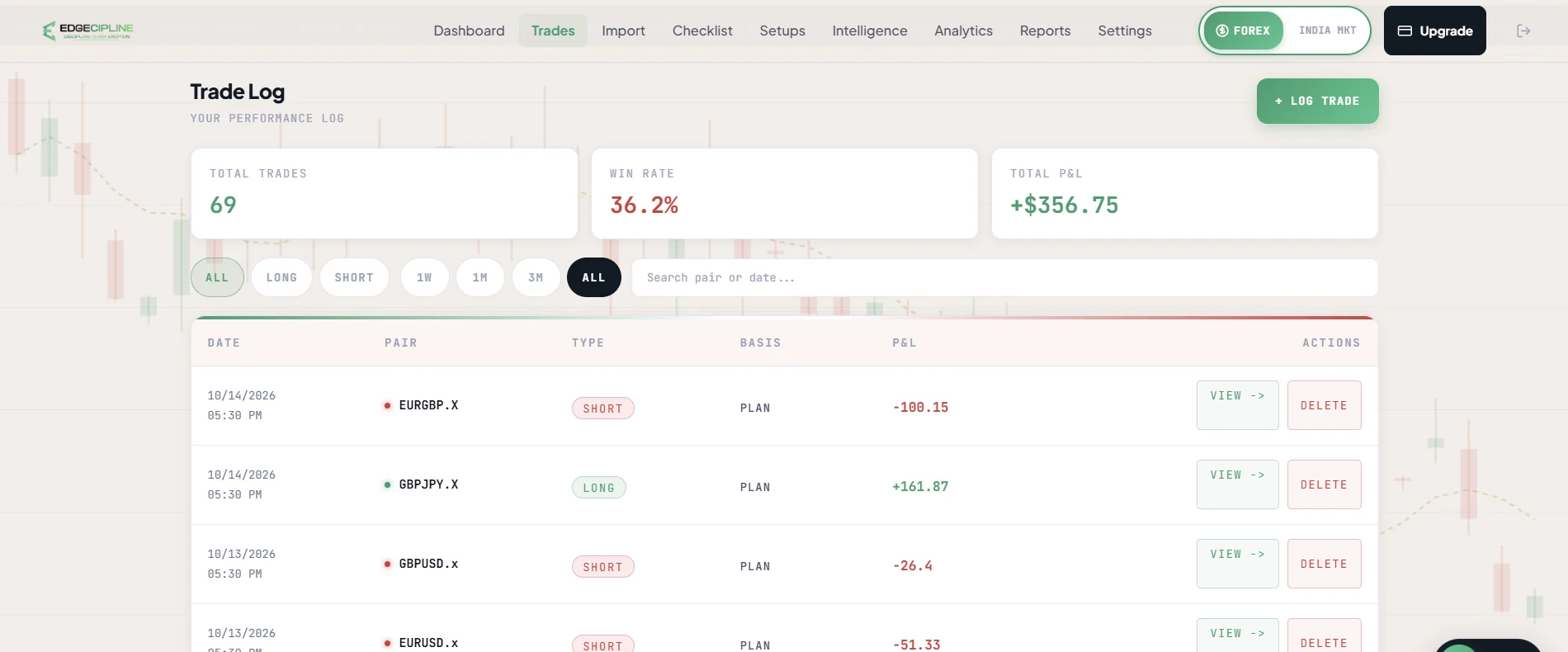
Edgecipline Trade Log: totals for trades, win rate and P&L, direction and period filters, a search box, and a table of trades with date, pair, type, entry basis and P&L.
Real Edgecipline app screen — figures belong to a test account, not to any customer.

Journal

Every trade, newest first, with server-side search and filters and totals for the whole filtered period.

  1. Search by symbol; filter by direction, date, result, strategy and session.
  2. Header totals cover the whole filtered period, not just loaded rows.
  3. Open any trade for every field, the screenshot, psychology and checklist.
  4. Edit, soft-delete and restore — analytics update right away.

§09Trading mistake cost calculator

What might emotional trades be costing you? Your numbers, your estimate.

Enter your own estimate of emotional or rule-breaking trades and their average loss. The arithmetic is simple and shown in full — nothing is predicted.

How Psychology Cost uses real records
Currency

Your own estimate — FOMO entries, revenge trades, skipped stop losses, broken rules.

6 trades × ₹1,500

Estimated per month
₹9,000
Estimated per year (× 12)
₹1,08,000

An illustrative estimate calculated only from the numbers you entered. It is not a prediction, not a verified loss, and not a promise that Edgecipline will recover any money. In the app, Psychology Cost uses your actual recorded trades instead of estimates.

§10Outcomes and value

What Edgecipline is designed to help with.

  1. 01

    Less journaling friction

    A screenshot replaces most of the typing, so recording every trade is realistic.

  2. 02

    Awareness of your patterns

    See which setups, sessions and behaviours appear in your own history.

  3. 03

    Structured reviews

    An evening check-in and a weekly report give review a fixed shape.

  4. 04

    Concrete next actions

    Insights and coach answers end in one specific thing to work on.

Educational coaching based on your own data — not financial advice. Edgecipline does not guarantee profitability, discipline or consistency.

§11Pricing preview

Start free. Upgrade when the journal earns it.

Free

₹0Lifetime

  • 2 Forex + 2 Indian trades, lifetime
  • Screenshot uploads and manual entries share the quota
  • 5 AI Coach questions per week
  • Full analytics on your own trades
  • Weekly reports and Trading DNA

Pro

Pro plan terms
TermPriceWorks out to
1 month₹349₹349 / month
3 months₹899about ₹300 / month
6 months₹1,499about ₹250 / month
  • Unlimited trades in both markets
  • Unlimited AI Coach questions

Plans become available at public launch. Prices in INR. See full pricing details.

§12FAQ

Questions, answered plainly.

More in the full FAQ and the Privacy Policy.

What is Edgecipline?

Edgecipline is an AI discipline coach for retail traders. It builds your trading journal from broker screenshots, then shows you — with your own data — what makes you money, what costs you money, and what to do next.

How is Edgecipline spelled?

Edgecipline is a coined brand name, a portmanteau of 'Edge' and 'discipline'. It is spelled E-D-G-E-C-I-P-L-I-N-E and is not a misspelling of 'discipline'.

Which markets does it support?

Forex and Indian markets. Indian Market mode supports stocks and options with segment, instrument type, underlying, CE/PE, strike, expiry, lot size, exchange, brokerage, STT and taxes. Each market keeps its own journal, analytics and quota.

How does screenshot extraction work?

Upload a broker screenshot and OCR and AI extract the trade. A screenshot with several trades becomes several entries. You review every extracted field — with a confidence score — and correct anything before saving. Non-trade images are rejected without using your quota.

Can I enter trades manually?

Yes. Manual entry records the same trade and psychology fields when you don't have a screenshot.

What does the AI Coach do?

It answers questions using your own recorded trades, streaks, reflections, weekly report, analytics, psychology and Trading DNA. It never invents numbers, never gives signals, and ends with one concrete action.

What is Trading DNA?

An AI report of your strengths, weaknesses, best setup and session, and risk style, for a 30, 90 or 365-day window, with a quarterly comparison. You can share it as a card.

Does Edgecipline give signals or predictions?

No. Edgecipline never gives signals, predictions, price targets or financial advice. Its analytics and coaching are educational and based only on your own recorded data.

When can I use it?

The public launch is coming soon. Leave your email under “Get launch updates” and we'll let you know when it happens.

Is there a free plan?

Yes. The Free plan includes 2 trades per market (Forex and Indian), lifetime, shared between screenshot uploads and manual entries, plus 5 AI Coach questions per week. Pro is ₹349 for 1 month, ₹899 for 3 months or ₹1,499 for 6 months.

What happens to my trade data?

Your data is scoped to your account, and you can permanently delete your account and its data from inside the app. Edgecipline does not connect to your broker account — trades come from the screenshots you upload or the entries you type. See the Privacy Policy for details.


§13Get launch updates

Be there when Edgecipline launches.

The Edgecipline web app is ready. Android testing is underway with a limited group of users, and the iOS app is in development. The official public launch across all platforms will follow once iOS is ready.

  • An email when the public launch happens.
  • Product and plan updates around launch.
  • Only your email is required — name, phone and experience are optional. See the Privacy Policy.

Free to join, no card required. We email you about the launch and product updates — nothing else.

Get launch updates.

Public launch is coming soon. Leave your email and we’ll tell you when Edgecipline launches, plus product and plan updates. Only your email is required.

Free to join, no card required. We email you about the launch and product updates — nothing else.